 Dooblee
Auto captions and translation for talking videos
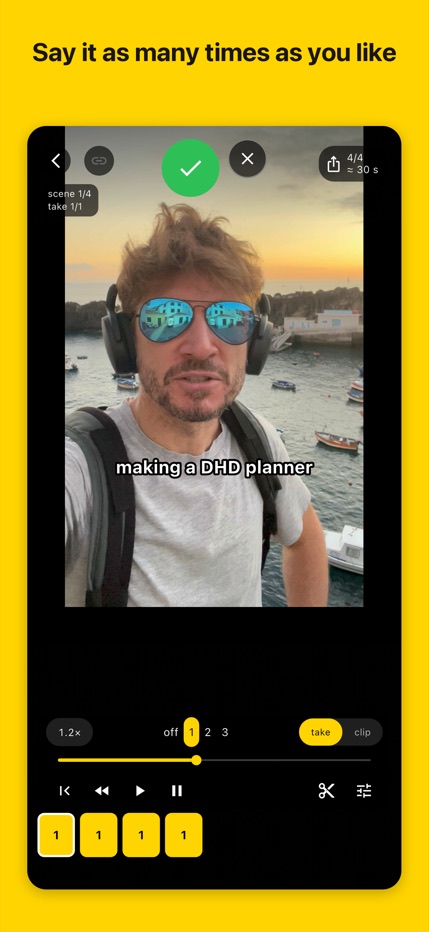
Record one long video. Repeat a line until it sounds right, then move on. Dooblee finds the pauses, groups your versions of each line and joins the ones you choose into a vertical clip with captions burned in.
From recording to finished clip
Import one recording or several clips from your photo library. Audio is transcribed online; the editor then shows the separate lines and their versions.
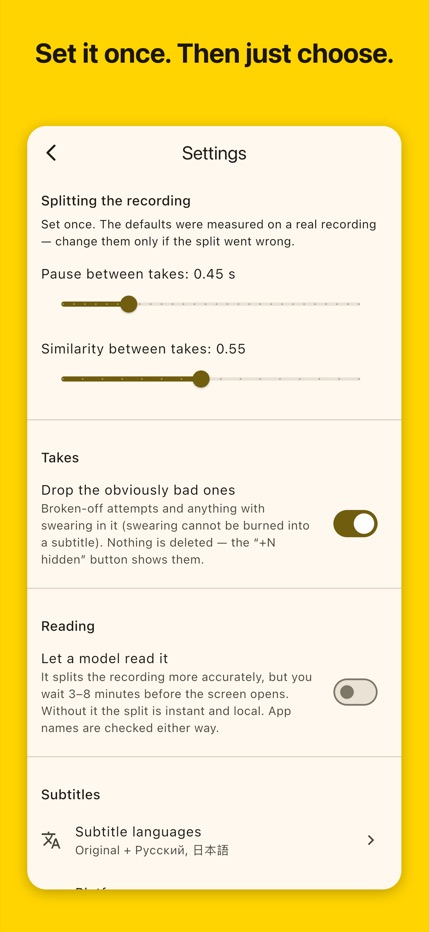
Swipe sideways between lines and vertically between versions. Choose what to keep, adjust trims or pauses, preview the cut and export it to your photo library.
Captions for two or three audiences
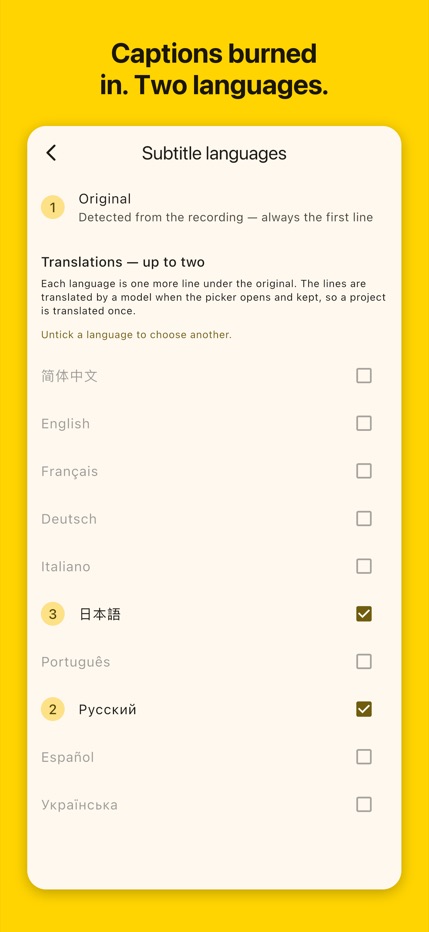
Keep the original subtitles and add up to two translated lines. Captions are burned into the exported video. The platform preset places them above the usual TikTok, Reels and Shorts caption area; always check your preview before publishing.
Free allowance and Dooblee Pro
The free allowance is 10 audio minutes per calendar month. Pro includes 200 audio minutes per month, with monthly or yearly billing and no free trial. Your store shows the local price and renewal terms before purchase; unused minutes do not roll over.
Your video stays on your phone
Video, projects and export remain on the device. Audio and recognised text are processed by OpenAI through our service. A random installation identifier supports allowances and purchases. Limited Amplitude product analytics contains no media or project text.
What to expect
Transcription and translation need internet access and may make mistakes. Review words, names and timing. Dooblee edits recorded video; it is not a camera, a cloud backup or a desktop editor.